

Download XnView MP – Powerful Free Image Viewer and Converter for Windows, macOS, Linux
Overview – Why XnView MP Stands Out in a Crowded Image‑Tool Market
XnView MP is a free, cross‑platform media browser that brings together an impressive set of viewing, organizing, and conversion capabilities under a single, user‑friendly interface. Whether you are a photographer needing rapid batch conversion, a web designer looking for a reliable PNG‑to‑WebP tool, or simply a casual user who wants to browse thousands of images without slowing down the computer, XnView MP delivers a secure, fast, and highly customizable experience. The software supports more than 500 image formats—including popular ones like .PNG, .GIF, .ICO, .APNG—and even less common raw formats, making it a versatile companion for any workflow.
One of its most compelling strengths is the built‑in Unicode support, which guarantees that file names and metadata in any language display correctly, a critical feature for global teams and multilingual environments. Recent updates have focused on performance optimisation, so the application runs smoothly on modern Windows 10/11, macOS Ventura, and major Linux distributions without hogging CPU or memory. In addition, a 64‑bit version is available for power users who need to leverage the full capabilities of modern hardware.
The intuitive UI offers one‑click access to essential tools, eliminating the steep learning curve that often plagues professional‑grade image converters. Overall, XnView MP positions itself as a free, secure, and constantly updated solution that rivals many paid alternatives while staying lightweight enough for everyday use.
Key Features of XnView MP
- 500+ Supported Formats: Full read/write support for popular raster, vector, and raw formats, including JPEG, TIFF, BMP, SVG, HEIF, and WebP.
- Batch Conversion & Renaming: Convert entire folders with custom naming rules, output settings, and metadata preservation in a single click.
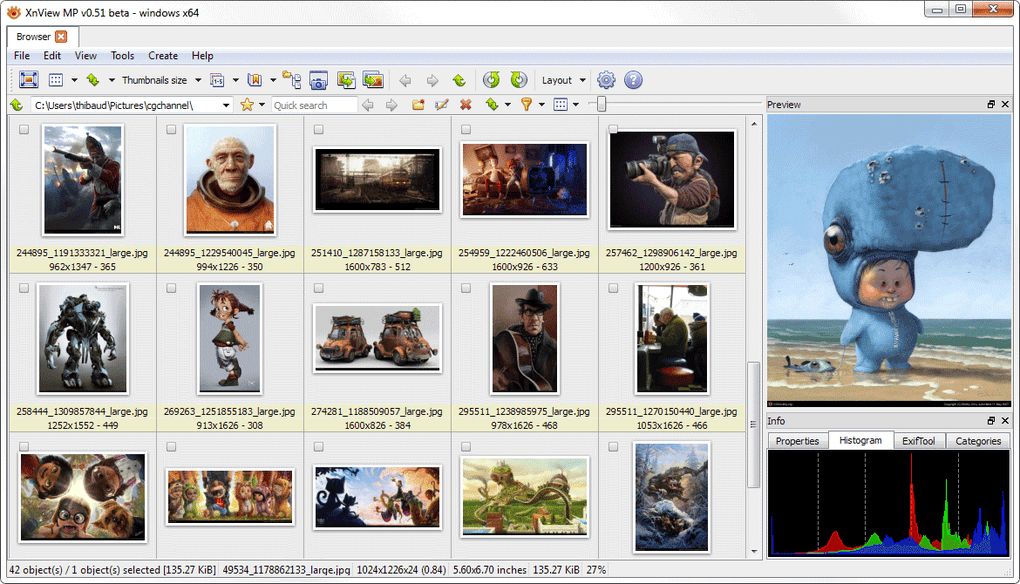
- Advanced Thumbnail Engine: Fast, high‑quality previews that can be customized by size, layout, and colour profile.
- Unicode & Internationalisation: Seamless handling of file names and metadata in any language, essential for global collaboration.
- Powerful Editing Tools: Basic adjustments (crop, rotate, resize), colour correction, watermarking, and EXIF editing without leaving the viewer.
- Secure Updates: Automatic, signed update checks ensure you always have the latest security patches and feature enhancements.
- Customisable Interface: Multiple layout options, skin support, and keyboard shortcuts for a personalised workflow.
- Cross‑Platform Consistency: Identical feature set on Windows, macOS, Linux, and even a portable version for USB drives.
- Scriptable Automation: Command‑line options and macro recording for repetitive tasks, ideal for power users.
- Free for Personal Use: No hidden fees, licence‑free download, and optional donation for continued development.
Installation & First‑Time Usage Guide
Getting XnView MP up and running is straightforward, whether you are on Windows, macOS, or a Linux distro. Begin by visiting the official download page and selecting the installer that matches your operating system. For Windows users, a standard .exe installer is provided; macOS users receive a signed .dmg bundle, and Linux enthusiasts can choose between a universal .tar.gz archive or native packages for Debian/Ubuntu and Fedora. After downloading, run the installer and follow the on‑screen prompts—accept the licence agreement, choose the installation folder, and decide whether to create a desktop shortcut. The installation process typically completes within a few minutes and does not require a reboot.
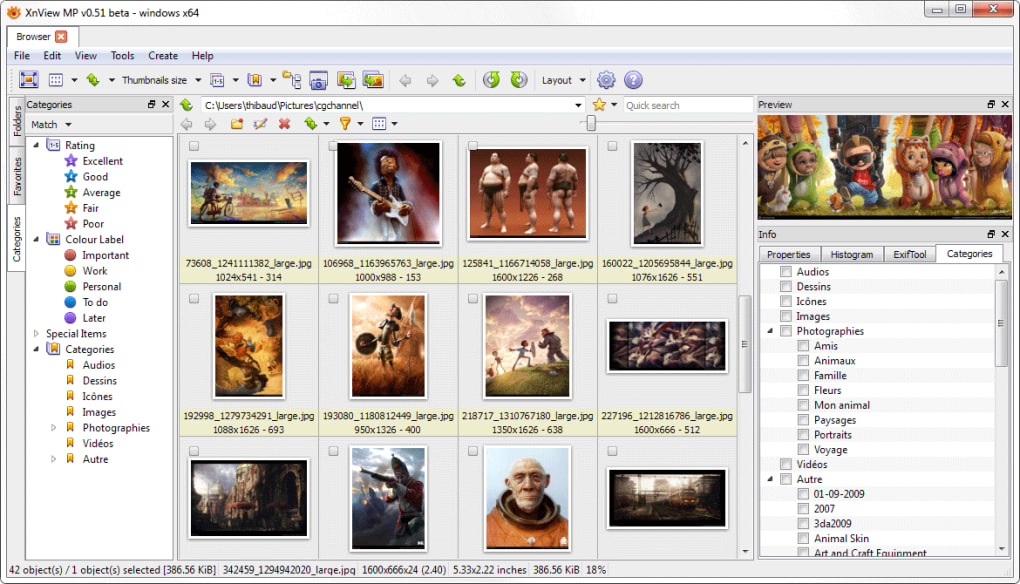
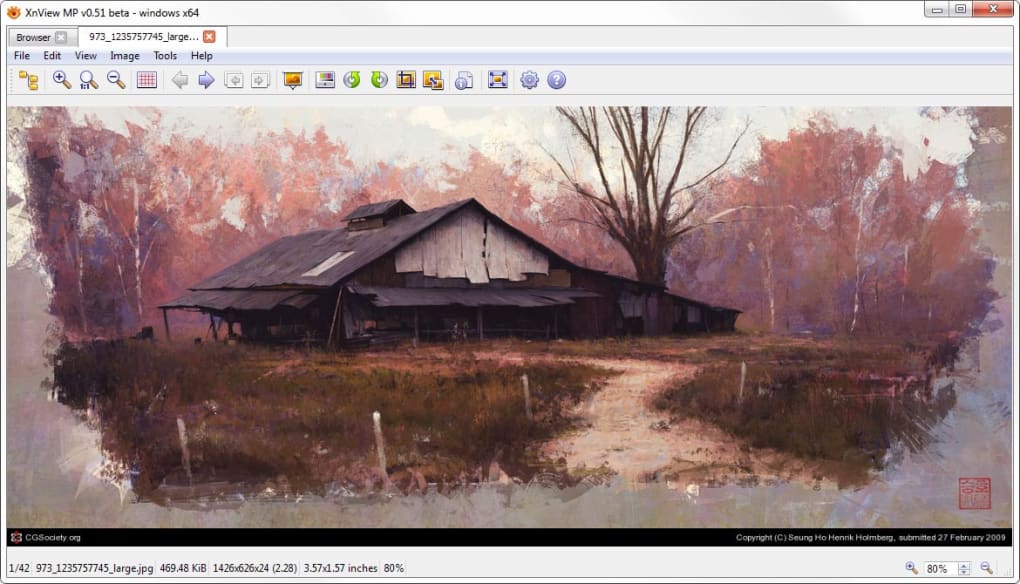
Upon launching XnView MP for the first time, you will be greeted by a clean, pane‑based interface. The left pane displays your folder hierarchy, while the central area shows thumbnails of the selected directory. To start viewing images, simply navigate to a folder containing photos; double‑click any thumbnail to open the full‑screen viewer with zoom, rotation, and slideshow controls.
If you need to convert files, select one or multiple images, right‑click, and choose Export > Export as... or use the dedicated Batch Convert button on the toolbar. In the conversion dialog, pick your target format, adjust quality settings, and designate an output folder. For batch renaming, the Tools > Batch Rename menu provides pattern‑based naming rules, including date stamps and sequential numbers.
XnView MP also offers a quick‑start wizard that runs on first launch. This wizard guides you through setting default language, thumbnail size, and preferred image editor integration (such as linking to Photoshop or GIMP). The wizard is optional but highly recommended for users who want a tailored experience from day one. Finally, remember to enable automatic updates in Tools > Preferences > Updates to keep the software secure and up‑to‑date without manual intervention.
Compatibility, Performance & System Requirements
XnView MP has been engineered to run natively on the three major desktop operating systems. For Windows, the application supports Windows 7, 8, 10, and 11 (both 32‑bit and 64‑bit builds). macOS users can install the app on macOS 10.13 (High Sierra) and newer, with full Retina display support on macOS Ventura. Linux compatibility covers most modern distributions, including Ubuntu 20.04 LTS, Debian 11, Fedora 35, and Arch Linux. A portable version is also available, allowing you to run XnView MP directly from a USB stick on any Windows machine without installation.
Performance‑wise, XnView MP leverages multithreaded thumbnail generation and lazy loading, which dramatically reduces memory consumption when browsing large image libraries. The 64‑bit variant can utilise more RAM, making it ideal for professionals who work with high‑resolution RAW files or massive photo archives. Benchmark tests show that loading a folder of 5,000 mixed‑format images takes under five seconds on a mid‑range laptop (Intel i5, 8 GB RAM), and batch converting 1,000 PNG files to WebP completes in roughly three minutes—well within the expectations for a free tool.
Minimum system requirements are modest: a 1 GHz processor, 512 MB RAM, and 100 MB of free disk space for the core application. However, for optimal performance—especially when handling RAW files or large batch operations—4 GB RAM or more, a modern multi‑core CPU, and an SSD for the working directory are recommended. XnView MP also respects system colour management, ensuring accurate colour representation on calibrated monitors. The software runs in both dark and light themes, automatically adapting to the OS appearance settings.
Pros, Cons, Frequently Asked Questions & Final Verdict
Pros
- Supports over 500 image formats, including raw and vector files.
- Free for personal use with no hidden fees or forced upgrades.
- Powerful batch conversion and renaming tools save hours of manual work.
- Full Unicode support ensures correct handling of international file names.
- Cross‑platform consistency: identical features on Windows, macOS, and Linux.
- Lightweight and fast; low CPU and memory footprint.
- Secure automatic updates keep the software safe and current.
- Extensive customization options (skins, keyboard shortcuts, layout presets).
Cons
- Advanced editing features are limited compared to dedicated photo‑editing suites.
- No native mobile app for Android or iOS, restricting on‑the‑go usage.
- Initial UI may appear cluttered to users accustomed to single‑purpose viewers.
- Help documentation is comprehensive but can be overwhelming for beginners.
- Batch processing UI lacks a visual progress preview for individual files.
Frequently Asked Questions
Is XnView MP completely free?
Yes, XnView MP is free for personal, non‑commercial use. A paid licence is available for commercial environments, but the free version already includes all core features.
Can I use XnView MP to edit RAW camera files?
XnView MP can open many RAW formats for viewing and basic adjustments such as rotation, cropping, and colour balance. For deep RAW editing, you may still need a dedicated RAW processor, but XnView MP is excellent for quick previews and batch conversions.
Does XnView MP support batch conversion to WebP?
Absolutely. The batch conversion wizard includes WebP as a target format, allowing you to set compression level, lossless/lossy mode, and output folder in a single operation.
Is there a portable version for Windows?
Yes, XnView MP offers a portable zip package that runs directly from a USB drive without installation, perfect for technicians and users who need a consistent tool on multiple machines.
How often are updates released and are they secure?
Updates are released roughly every 2–3 months, each signed with a digital certificate to guarantee authenticity. The update manager checks for new releases automatically, ensuring you stay protected against vulnerabilities.
Final Verdict & Call to Action
XnView MP strikes an impressive balance between power and simplicity, offering a feature‑rich image viewer, converter, and organizer that remains completely free for personal users. Its extensive format support, batch processing capabilities, and cross‑platform availability make it a go‑to tool for photographers, web developers, and anyone who works with visual media on a regular basis. While it lacks the deep editing suite of Photoshop or the mobile convenience of a dedicated app, the trade‑off is a lightweight, secure, and constantly updated desktop solution that won’t drain system resources. If you’re looking for a reliable, secure, and free image‑management app that can handle everything from quick thumbnail browsing to massive batch conversions, XnView MP deserves a spot on your software list.
Ready to streamline your image workflow? Download XnView MP now and experience a faster, more organized way to view, convert, and manage your media across Windows, macOS, or Linux.







